
Baseball facilities need to manage batting cage bookings, field rentals, private lessons, clinics, camps, memberships, and pro shop sales. Many operators still juggle these tasks across different tools. That often leads to double bookings, front-desk delays, payment friction, and missed revenue opportunities.
In this article, we look at baseball facility management software alternatives based on features like scheduling, payments and POS, memberships and packages, pricing, and ease of setup.
How we evaluated the platforms
We reviewed each platform against the day-to-day needs of baseball facilities, focusing on:
- How well it manages cages, fields, instructors, lessons, clinics, and camps
- Whether it includes payments, memberships, packages, POS, and reporting
- Its support for leagues, tournaments, staff, and mobile booking
- Pricing, add-on costs, setup requirements, and overall facility fit
We used official product pages, pricing information, help documentation, and customer reviews where available. Features and pricing were checked in July 2026.
6 Best Baseball Facility Management Software at a Glance
| Baseball facility management software | Best for | Pricing |
| EZFacility | All-in-one baseball and multi-sport facility management | Custom quote |
| eSoft Planner | Batting cage facilities, training centers, and lesson-based operations | Starts at $39/month |
| Swift | Coaches and smaller baseball facilities | Monthly or annual plans; add-ons start at $79/month |
| SportsEngine | Baseball facilities connected to leagues and sports organizations | SportsEngine Play Creator Studio costs $1,500/year; other product pricing varies |
| Dash by DaySmart | Tournament-heavy ballparks and multi-field facilities | Custom quote |
| Upper Hand | Baseball academies focused on lessons, clinics, camps, and rentals | Starts at $79/month for coaches and $199/month for single facilities |
| Note: This guide is published by EZFacility. We evaluated EZFacility using the same criteria applied to every platform included in this comparison. The platforms are listed in no particular order and should not be interpreted as a ranking. |
1. EZFacility: Best all-in-one platform for baseball facilities
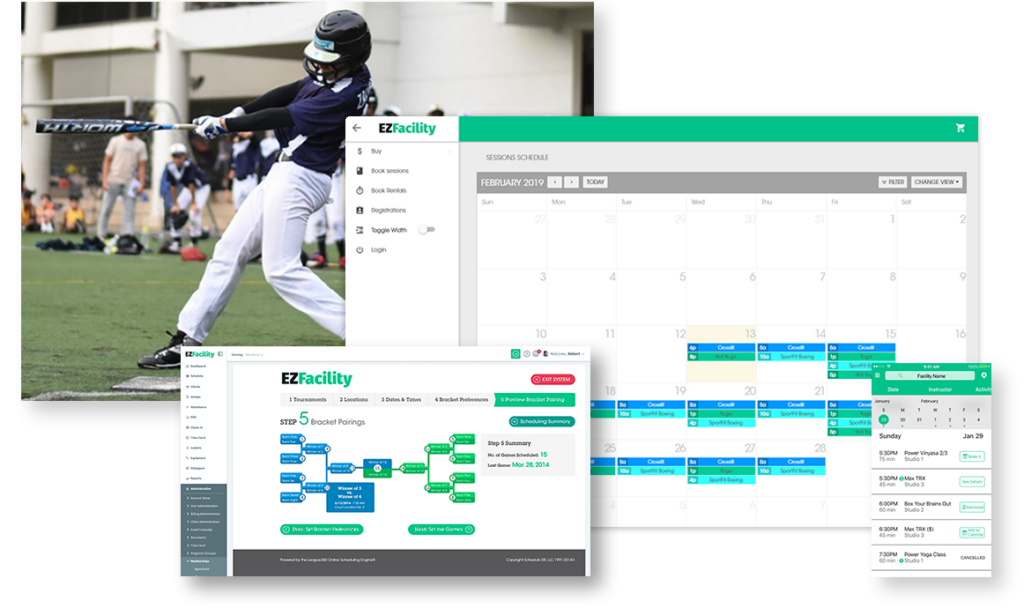
EZFacility is the benchmark all-in-one option in this list for baseball facilities. It covers the full operating model, including batting cage bookings, field rentals, lessons and clinics, memberships, payments, POS, and reporting. Its scheduling tools also support bulk booking and conflict prevention, which matters when cages, instructors, and fields all need to line up.
Key features
- Marketing tools: Helps baseball facilities promote camps, clinics, and offers to drive repeat bookings
- Scheduling and management: Manages batting cages, fields, trainers, and recurring sessions from one calendar with conflict prevention
- Membership management: Handles recurring billing, member records, package tracking, and access management
- Inventory management: Supports front-desk sales, pro shop transactions, and inventory control
- League management: Helps organize league play, schedules, and related operations
- Branded mobile app: Gives players and parents an easier way to book and manage sessions
- Registration & referral: Supports sign-ups for lessons, clinics, camps, and training programs
- Self-service check-in: Lets customers book or check in with less front-desk friction
- Message automation: Sends reminders and updates for bookings, classes, and account activity
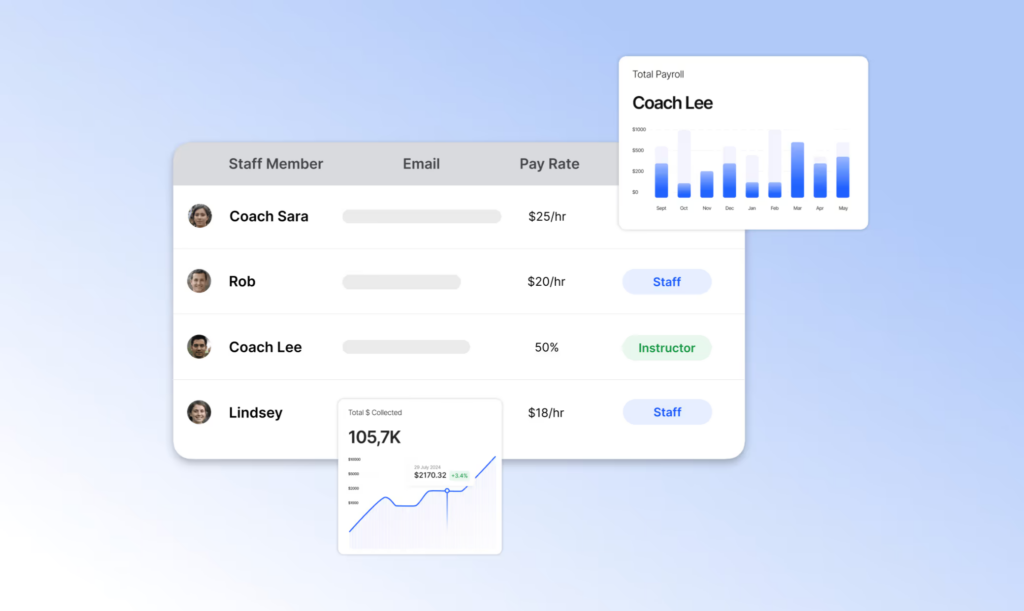
- Payment and commission: Tracks staff pay, commissions, and related payment workflows
- Employee venue utilization: Shows reporting on staff activity, venue usage, and business performance
Limitations
Pricing is not publicly disclosed, so facilities usually need to contact sales for a tailored quote.
Pricing
Quote-based, with customized plans so baseball facilities can pay for the features that match their operating model.
Verdict
Pick EZFacility if you run a baseball training center and want one platform to handle cages, fields, lessons, memberships, payments, and reporting.
2. eSoft Planner (by eSoft): Best for batting cage facilities, training centers, and lesson-based baseball operations
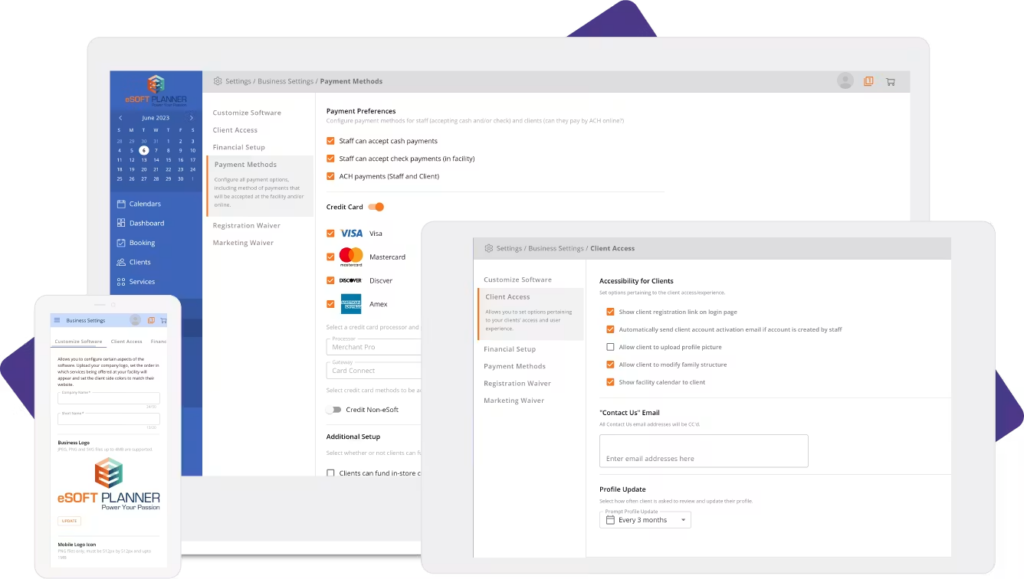
eSoft Planner is ideal for batting cage facilities and lesson-driven training centers. It handles cage reservations, coach scheduling, camps, and front-desk payments in one system. It also helps teams grow and manage sport facility memberships. The platform is best suited to operators who want lesson workflows and scheduling control rather than modern interface design.
Key features
- Scheduling and reservations: Manages batting cage rentals, field time, private lessons, classes, and camps from one booking system
- Coach and lesson management: Assigns instructors, supports private and semi-private lessons, and tracks attendance and coaching packages
- Memberships and billing: Supports recurring billing, custom plans, automated invoicing, and payment collection for lesson-based operations
- POS and retail: Processes merchandise and service sales while tracking inventory for a pro shop or front desk.
Limitations
- Lack of QuickBooks integration: Accounting teams may need manual exports or duplicate data entry to reconcile memberships, lessons, and cage rental revenue.
- Rigid membership and payment logic: The system limits how facilities can structure membership periods and installment payments.
- Dated admin and scheduling UX: Scheduling changes and rescheduling can take more steps than in newer platforms.
- Fragmented user permissions and mobile experience: Different roles can require separate access paths, which adds friction for staff and families
Pricing
Starts at $39/month, with a modular a la carte structure so facilities pay only for the modules they need.
Verdict
Pick this if your facility runs a high volume of batting cage bookings, private lessons, camps, and memberships, and you want flexible module-based pricing with scheduling control.
3. Swift: Best lightweight option for coaches and smaller baseball facilities
Swift lets customers browse available cage or field time slots, pay securely, and manage bookings directly from their phone. Coaches can set their weekly availability, view upcoming lessons, and plan seasonal programming without worrying about double-bookings. The platform also manages memberships with automated recurring billing, staff scheduling with role-based permissions, and integrated waiver collection. Setup is designed to take minutes rather than days, with guided 1:1 onboarding and a 30-day money-back guarantee.
Key features
- Online booking and payments: Customers self-serve cage, field, and lesson bookings with real-time availability and secure checkout
- Multi-resource scheduling: Prevents double-bookings across cages, turf lanes, and bullpens with coach, camp, and recurring booking support
- Membership management: Automated recurring billing with member-specific pricing, credit packs, and family discounts
- Staff scheduling and permissions: Role-based access for instructors, front desk, and admins with automated lesson reminders
- Reporting and analytics: Revenue, usage, and coach performance insights to inform staffing and pricing decisions
Limitations
- Lacks Direct Hardware Syncing: Swift does not have native API integrations to pull performance data directly from baseball tech like Rapsodo, HitTrax, TrackMan, or Blast Motion
- No Player Profile Progress Tracking: Coaches cannot store a player’s velocity, launch angle history, or video analysis directly within the client’s profile for parents to track over time
- No Tournament Bracketing or Scheduling: While Swift excels at scheduling facility resources (cages/fields), it lacks native league tools to build tournament brackets, manage game umpires, or log game-by-game statistics
- Basic Roster Management: It lacks the deep team communication features (like live chat or pitch-count tracking) found in dedicated team apps
- No Pro Shop Inventory Matrix: While it allows basic product sales, it lacks a complex retail matrix needed for baseball pro shops to easily track bat/glove inventory variations by weight, length, color, and size
Pricing
Swift offers three monthly plans with a choice of monthly or yearly billing, guided 1:1 onboarding, and a 30-day money-back guarantee. However, add-ons are priced additionally. A white-labeled iOS/Android app is $199/month, smart-lock integration for 24/7 facility access is $79/month, and an unlimited staff upgrade for lower-tier plans is $99/month.
Verdict
Choose Swift if you’re a coach or smaller facility that wants a fast, modern, and affordable way to manage bookings, payments, and staff scheduling without the complexity or cost of enterprise-grade platforms.
4. SportsEngine: Best for baseball facilities tied to leagues and organizations
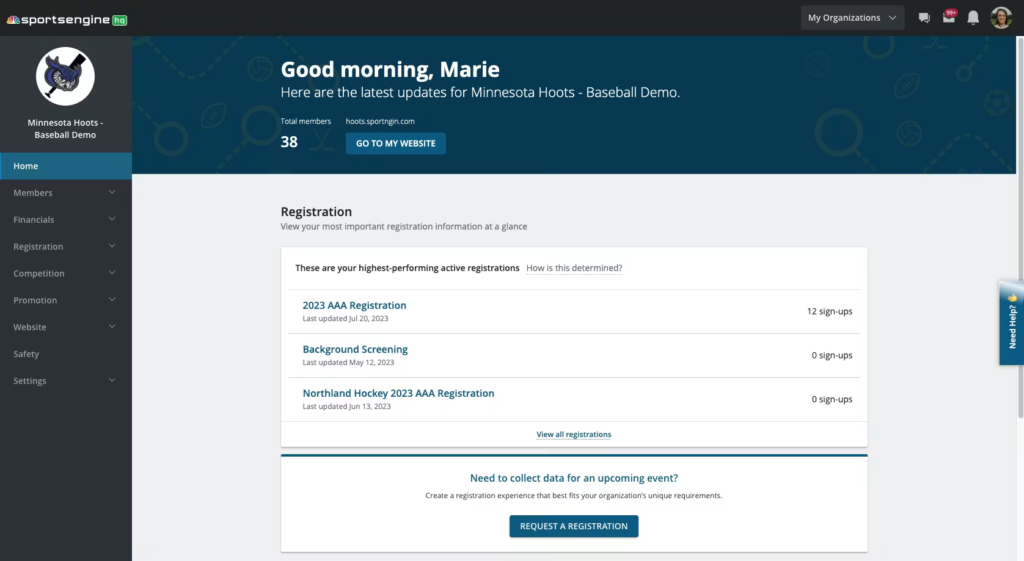
SportsEngine HQ manages online registration, payment collection, season scheduling, rostering, stats tracking, and team communication through a single integrated system. The ecosystem includes four products: HQ for club and team administration, Motion for daily facility scheduling and space rentals, Tourney for automated tournament bracket creation, and Play for live event streaming. Together, these tools cover everything from facility operations to league management and game broadcasting.
Key features
- Online registration and payments: Quickly collect signups, waivers, payment plans, and registration fees through customizable forms with built-in financial reporting
- Season scheduling and rostering: Create, share, and update game schedules; assemble team rosters in minutes with detailed contact information and drag-and-drop tools
- Team mobile app: Connect coaches, athletes, and families with in-app team chat, live schedules, scores, and stats available on iOS and Android (4.8/5 rated)
- Automated tournament bracketing: Auto-create brackets and conflict-free schedules, equip teams with a free mobile app, and collect athlete registrations online through SportsEngine Tourney
- Live game streaming and highlights: Broadcast competitions to families and fans, clip highlight moments, and store footage using existing camera networks or AI-powered Pixellot cameras at no cost
Limitations
- Lacks Hourly Grid Scheduling: SportsEngine is designed to assign blocks of game times to entire teams on fields. It lacks the hourly or 30-minute incremental grid calendars required to rent individual batting cages, pitching tunnels, or HitTrax simulators to solo players
- No Instructor Revenue-Splitting: The software does not feature internal logic to automatically calculate financial splits (e.g., a 60/40 revenue split) between the facility house and independent baseball trainers who utilize the cages
- No Sports Tech API Integrations: Unlike facility-first software, SportsEngine lacks native pipelines to connect with baseball tech hardware like Rapsodo, HitTrax, or Blast Motion
- No Player Profile Milestones: While it excels at tracking seasonal league stats and game scores, it does not allow a training facility to log and track a player’s physical performance metrics—such as exit velocity or launch angle—inside a long-term player profile
Pricing
SportsEngine Play’s Creator Studio is available at $1,500/year for livestreaming, highlight creation, and footage storage.
Verdict
Choose SportsEngine if you need registration, tournament bracketing, rostering, and live streaming. It’s not ideal for hourly cage rentals or instructor scheduling.
5. Dash by DaySmart: Best for tournament-heavy and event-driven ballparks
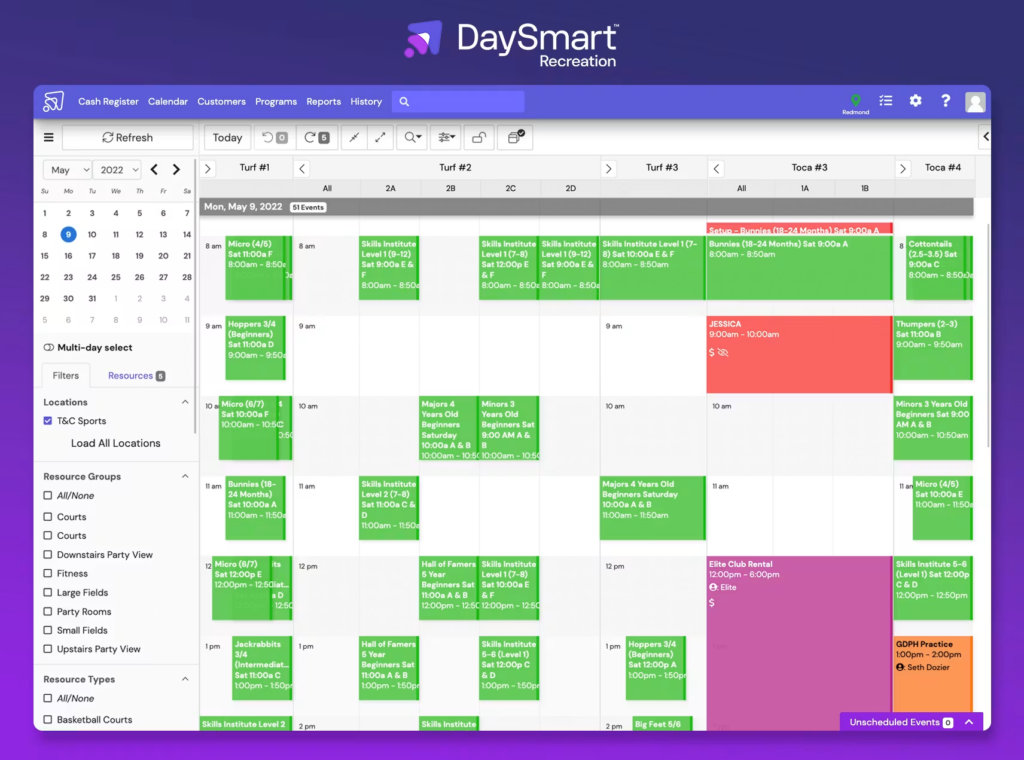
Dash (rebranded as Dash by DaySmart) centralizes league scheduling, facility rentals, program registration, and point-of-sale into a single system. Managers use a drag-and-drop calendar to book cages, fields, and bullpens. They can also build full league seasons and tournament brackets without leaving the platform. The built-in CRM stores family account data and enables targeted email or SMS campaigns to specific teams, leagues, or program rosters.
Key features
- Drag-and-drop resource scheduling: Book cages, fields, and tunnels on a visual calendar while managing league seasons, camps, clinics, and rentals simultaneously
- Online registration & league management: Collect signups, waivers, and payments through customizable forms with automated team rostering and standings tracking
- POS & QuickBooks integration: Process front-desk transactions, track daily sales, and auto-export financial data to QuickBooks for accounting
- CRM with member segmentation: Tag customers by team, league, or program history and run targeted email campaigns directly from the platform
- Branded member mobile app: Give players and parents a custom iOS/Android app to view schedules, register for programs, check standings, and receive push notifications
Limitations
- No Native Analytics Integration: Dash does not feature native integrations with standard baseball data and tracking hardware (such as Rapsodo, TrackMan, or Blast Motion)
- Missing Player Development Tools: The software lacks built-in features for baseball-specific stat tracking, pitch-by-pitch analytics, or automated video analysis, which are standard in specialized baseball apps
- No Skill/Evaluation Portals: Coaches cannot log specific baseball metrics (like exit velocity or arm strength) directly into player profiles for long-term development tracking
- Rigid Tournament Bracketing: While it can oversee basic tournaments, it lacks the highly dynamic pool play, double-elimination, and weather-delay rescheduling flexibility found in baseball-centric platforms like SportsEngine or LeagueApps
- Inflexible Operational Rules: Dash relies on pre-set workflows. Baseball academies that utilize complex, multi-instructor cage rentals or specific bulk-package sharing rules often find the system too rigid to adapt to their exact business workflows
Pricing
Dash does not publicly list pricing on its website. All plans require booking a personalized demo to receive a quote. The platform does not offer a free trial or free tier.
Verdict
Choose Dash if you run a ballpark or multi-field complex that needs league scheduling, tournament management, and facility rentals in one platform.
6. Upper Hand: Best for baseball academies and training-focused facilities
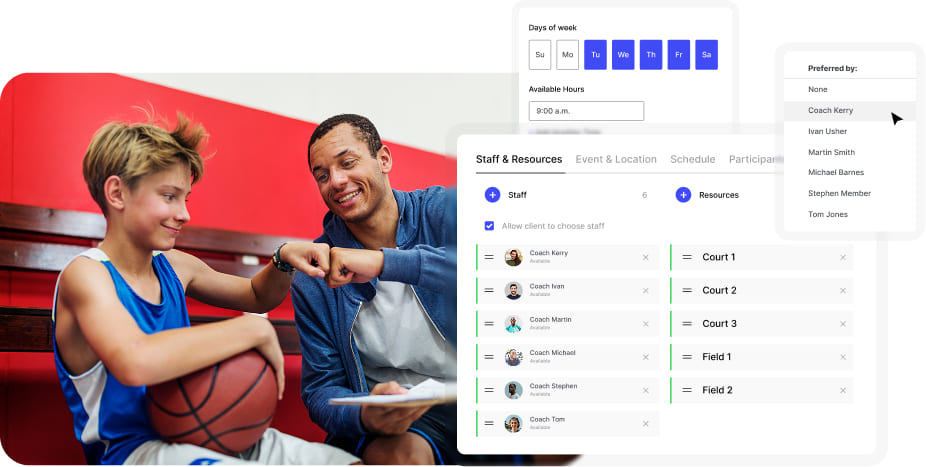
With Upper Hand, clients can book private lessons, camps, clinics, and cage rentals directly through a branded mobile app on iOS and Android. Facility managers get a real-time resource calendar that shows available cages, fields, and tunnels to maximize booking revenue. The platform helps manage a sports facility with automated recurring billing, membership management, and payroll reporting for instructors.
Key features
- Flexible scheduling & registration: Create private lessons, camps, clinics, and rentals with capacity controls, waitlists, registration deadlines, and age/gender restrictions
- Facility resource management: View cage, field, and tunnel availability in real-time on a shared calendar to eliminate double-bookings and identify open revenue opportunities
- Integrated payments & memberships: Accept online payments, offer pricing tiers and payment plans, automate recurring billing, and manage membership auto-renewals with member-specific discounts
- Staff management & payroll reporting: Instructors manage their own availability, while admins track attendance, set access levels, and generate payroll reports
- Mobile app for clients & staff: A branded iOS/Android app lets athletes book sessions, pay, and receive push notifications while staff manage rosters and schedules from anywhere
Limitations
- No Direct Hardware Integration: Upper Hand lacks native API integrations with primary baseball data collection hardware (such as Rapsodo, TrackMan, or Blast Motion sensors)
- Manual Metric Logging: Staff must manually transcribe hitting and pitching data (like exit velocity, launch angle, or spin rates) into PDF templates or text notes rather than using automated, data-synced player profiles
- No Native Video Analysis Tools: It does not feature built-in video overlay or slow-motion feedback tools, forcing coaches to use separate apps for visual mechanical breakdowns
- Lack of Dynamic Bracketing: The system is optimized for camps, clinics, and individual lessons rather than intricate baseball league management. It lacks automated tournament bracketing software for double-elimination brackets or complex pool-play tiebreakers
- No Live Scorekeeping or In-Game Stats: Unlike integrated team apps, Upper Hand provides no native tools for pitch-by-pitch logging, box score creation, or cumulative season stat tracking
- Complex Multi-Resource Dependencies: Booking a single baseball activity often requires checking multiple dependencies simultaneously (e.g., reserving a hitting lane, a specific pitching machine, and a designated instructor)
Pricing
Upper Hand offers three plans billed annually:
- Start at $79/mo for independent coaches
- Grow at $199/mo for single facilities
- Scale at a custom quote for multi-location operations
Verdict
Choose Upper Hand if you only need to host lessons, camps, and cage rentals. It’s not ideal for league management and tournament bracketing.
How to choose the right baseball facility management software
Before you shortlist a platform, clarify your facility’s primary workflow—whether you run a training academy, a league organization, or a multi-sport complex—then evaluate each tool against these core criteria:
- Scheduling depth: Confirm the software supports hourly grid calendars for cage/tunnel rentals, nested resource logic to auto-block overlapping spaces, and instructor-specific availability for private lesson bookings.
- Baseball tech and player development: Check for native API integrations with Rapsodo, HitTrax, TrackMan, or Blast Motion, and verify whether long-term player profiles can store velocity, launch angle, spin rate, and video analysis.
- League and tournament capabilities: If you run tournaments, ensure the platform offers automated bracketing (pool play, double elimination, and weather reschedules) and live scorekeeping.
- Revenue and financial tools: Verify instructor revenue splitting (e.g., 60/40 house/trainer splits), integrated payment processing, membership auto-billing, and pro shop POS with inventory matrix support for bats, gloves, and apparel.
- Mobile and client experience: Confirm whether clients and staff get a branded iOS/Android app for booking, notifications, and schedule access rather than just a web portal.
- Pricing and onboarding: Check whether plans are publicly priced or demo-gated, what add-ons cost (website builder, smart locks, and streaming), and whether guided 1:1 onboarding or a money-back guarantee is included.
Choose the platform that matches your facility’s business model
Different facilities need different tools. A training academy may prioritize instructor availability, cage scheduling, and lesson packages. A league or multi-field complex may need deeper registration, tournament, and resource management. Start with your operating model, then choose software that can handle the booking complexity your team manages every day.
For facilities that want to manage everything in one place, EZFacility combines scheduling, memberships, payments, POS, leagues, staff management, and reporting in one platform. It also supports multiple sports and facility types, making it a practical choice for baseball businesses that plan to add new programs or expand into a multi-sport operation.
Book a demo to see how EZFacility fits your workflows and growth plans.
About the authorStefano Tromba is a marketing professional at EZFacility with experience across sports, SaaS, technology, and hospitality. His expertise includes brand strategy, digital marketing, content, lead generation, and cross-functional team leadership. |
Frequently asked questions about the best baseball facility management software
1. What’s the difference between baseball scheduling software and full facility management software?
Baseball scheduling software mainly handles cage, field, coach, and lesson bookings. Full facility management software also covers memberships, payments, POS, staff management, leagues, registration, and reporting.
2. Which software is best for batting cages specifically?
EZFacility is the best option for batting cages because it manages cage bookings, instructor schedules, lessons, memberships, payments, POS, and reporting in one platform. It also helps prevent booking conflicts across cages, fields, and staff.
3. Can baseball facility management software handle lessons, clinics, and camps?
Yes. Most platforms let facilities schedule instructors, set capacity limits, collect registrations and payments, manage packages, and send booking reminders for lessons, clinics, and camps.